
Codex App - First Impressions
Intro
I’ve been a pretty heavy user of the Codex CLI, and over the past month I’ve churned out about fifteen thousand lines of code per week, working somewhere between three and six days a week. (Hopefully, I’ll be able to post more about those projects in the coming weeks) When OpenAI announced the Codex app today [Feb 2nd, 2026], I was excited to see what improvements a graphical interface could bring to the workflow. I’ll be testing it out to see what works better, what is worse, and whether I’ll be migrating my work fully to the app or continuing with my current terminal-based workflow. From what I’ve seen so far, there are some big outstanding questions, but I get the feeling they will be iterating quickly to build this out.
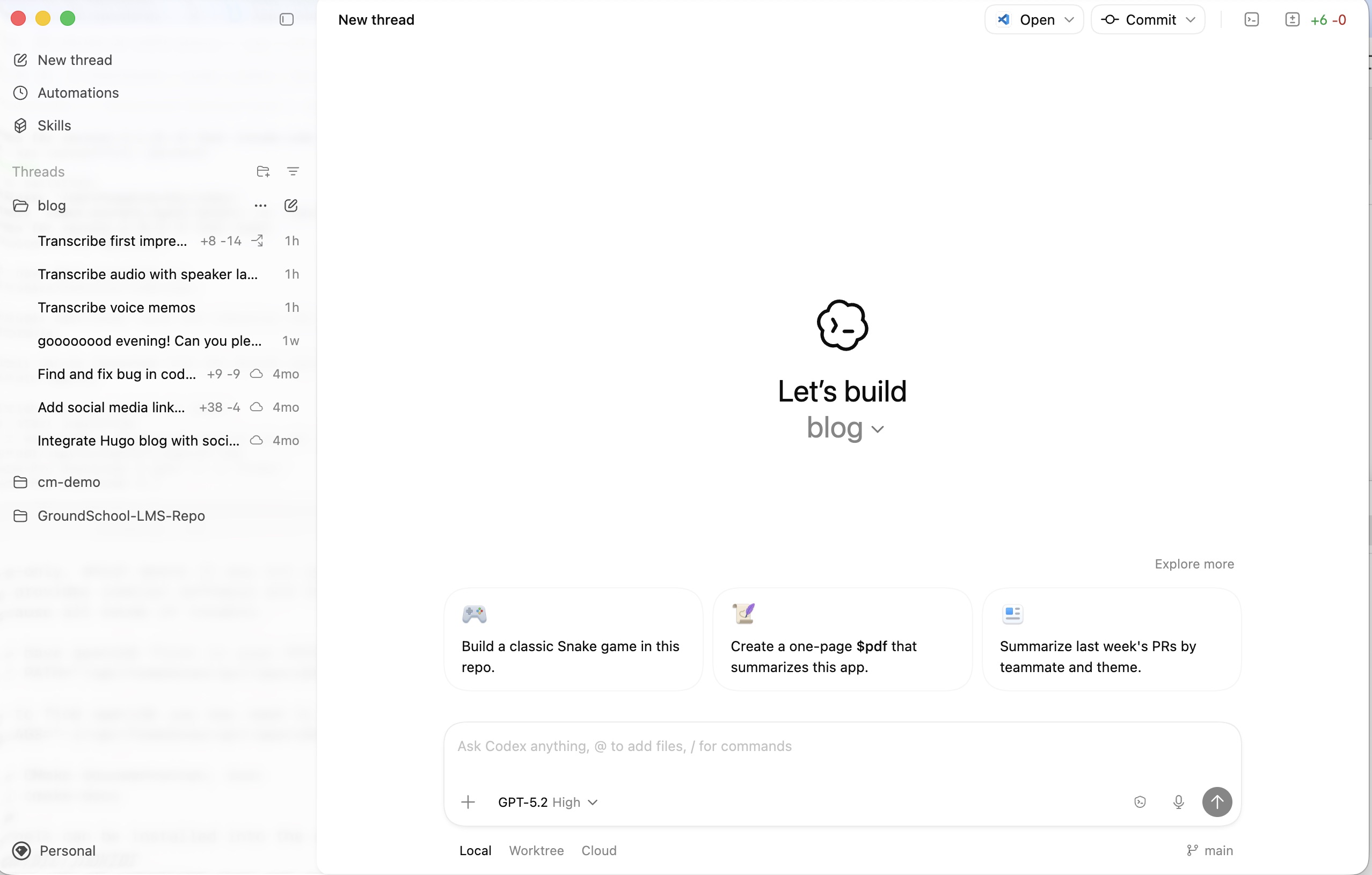
Codex App Home Screen
Threading And Context
I currently use long running sessions/conversations as my main way of organizing agents. I keep a main thread where I’m working on major features, most changes, and for architectural review conversations. I’ve found the compaction that gets used by Codex is good enough that keeping the conversation running in one long thread reduces the amount of re-explaining and re-discovery the assistant has to do. It has - so far - been able to keep the thread of what we’re working on and seems to grow with the work in the way I would expect.
That said, I do find myself opening other threads (read terminals) when I want to do a small change. I’ll also do this if I want to do a code review with a fresh context that isn’t clouded by recent conversation. In a monorepo, if I want to focus the agent on one subcomponent, I’ll point a second (or third) thread at that directory, launch Codex, and have it work in that limited scope. I’ll even mix Claude Code and Codex agents in the same repository working on different parts of the codebase.
Projects Feature
In the Codex app, it lets you add projects, which map cleanly to the folders I was using on my machine. One thing I appreciate is it imports local conversation histories from those projects so I can review work or resume old threads from the app. This project grouping is a big improvement over my terminal workflow: in the terminal, I’d have to double-check which terminal I have open and which folder that terminal was running in. When I wanted to switch between projects, I’d either launch a new terminal and set up a new tmux session, or do some manual jumping around, which made it harder to switch between projects.
That said, given the context switching required to jump between projects, I don’t know that I’m going to see much benefit from having them all consolidated beyond not having to navigate through folders myself.
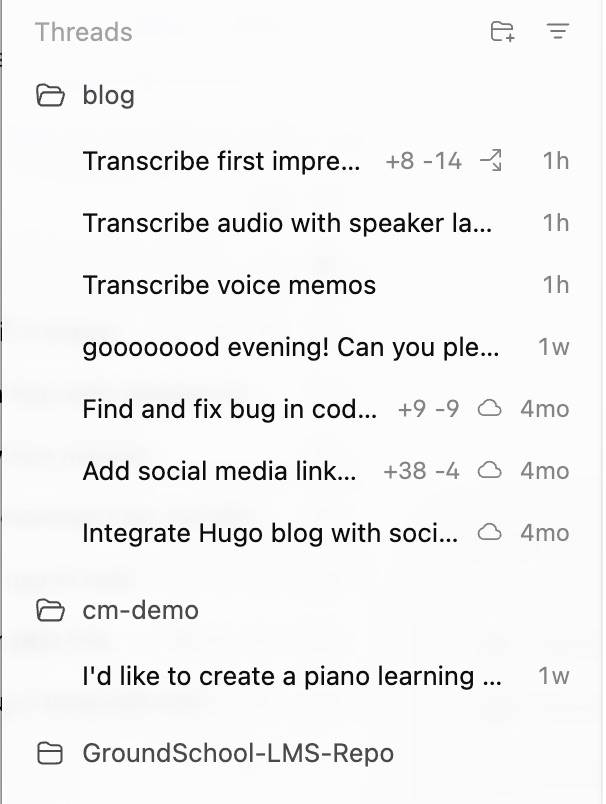
Projects Panel
Worktrees And Cloud
One thing I’ve seen a lot of people use, and have not used myself much, are worktrees. The app gives you access to local worktrees and cloud runs, but so far 100% of my work has been local with the CLI. I’m going to be testing out worktrees and cloud, but I don’t think I see the benefit to worktrees in cloud yet. If you have a good example, please reach out—I’d love to learn so I can give it a fair shake. My workflow so far has been pretty simple: I just work on the main branch most of the time, because the speed at which changes are happening makes it hard to juggle branch, worktree, and context on top of everything else I’m trying to keep in mind while developing.
The Codex app also provides a way to configure environments, and it basically gives you a way to run a set of commands when you create a new worktree. I’m not using worktrees all that often, but it is required in order to use the environment setup. One important thing to know about worktrees is they require changes to have been committed to git; anything not in git won’t be copied over to the worktree. So if you drop some files into a project and then spin up the worktree conversation, it won’t be able to find them in the worktree folder unless they were committed first. (And if those files contain secrets, don’t commit them—this is exactly why I think we need a better secrets workflow.)

Environment Selection Below Prompt: Local, Worktree, Cloud
Skills And MCP Servers
The app provides a Skills page where you can install skills from a repository. OpenAI has a skills repo that it links to by default, but you can also point it at a new repository via the skill-importer. You can also create new skills from a Codex conversation using the skill-creator skill.
Like worktrees, skills and MCP servers are not something I’ve been able to get much value out of in my workflows so far. It’s another piece of context you have to keep in mind when you’re directing agents, and I haven’t found skills necessary to accomplish most of what I’ve been working on. There are certain things—like image generation and audio generation—that are in the marketplace and I’m interested in exploring, especially for spikes, app assets, or background imagery. Having the ability to generate those assets within Codex seems like a really interesting use case that I just haven’t taken the time to set up. More to come on this in a future post.
One thing that did jump out right away: some skills require API keys. It would be nice if there was a way to have the skill installer “talk to” the skill so it can set up environment variables (or at least validate what’s needed) so the skill will run properly and let the user know if something’s not going to work. For example, I had to struggle with the transcribe functionality, trying to get the environment to recognize my OpenAI API key so I could call the transcription service. Realistically, the install wizard should be doing the magic for the user in this case, because it was not intuitive to me how to set it versus on the command line—where you just set it and forget it.
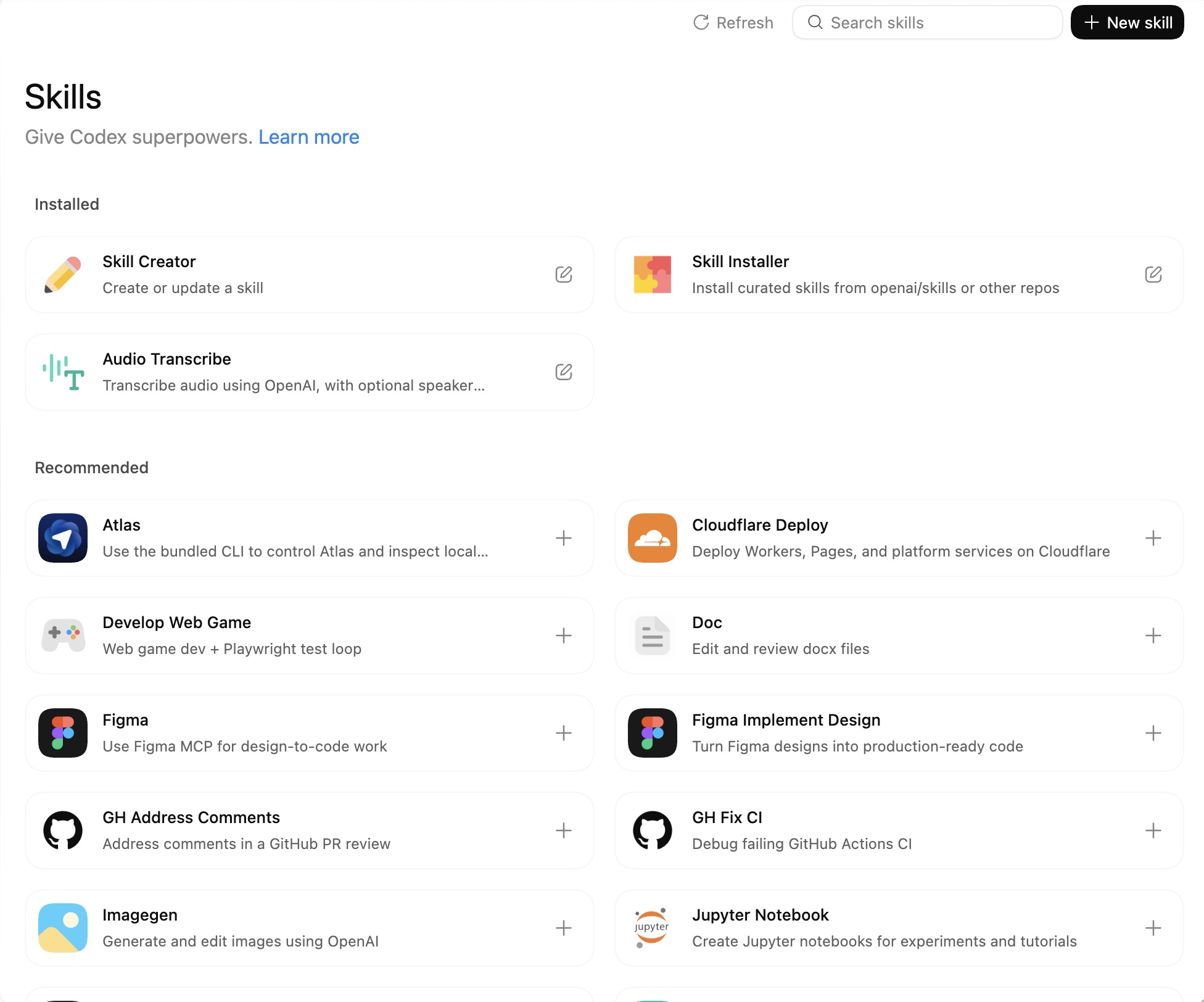
Skills Overview / Repository Selection
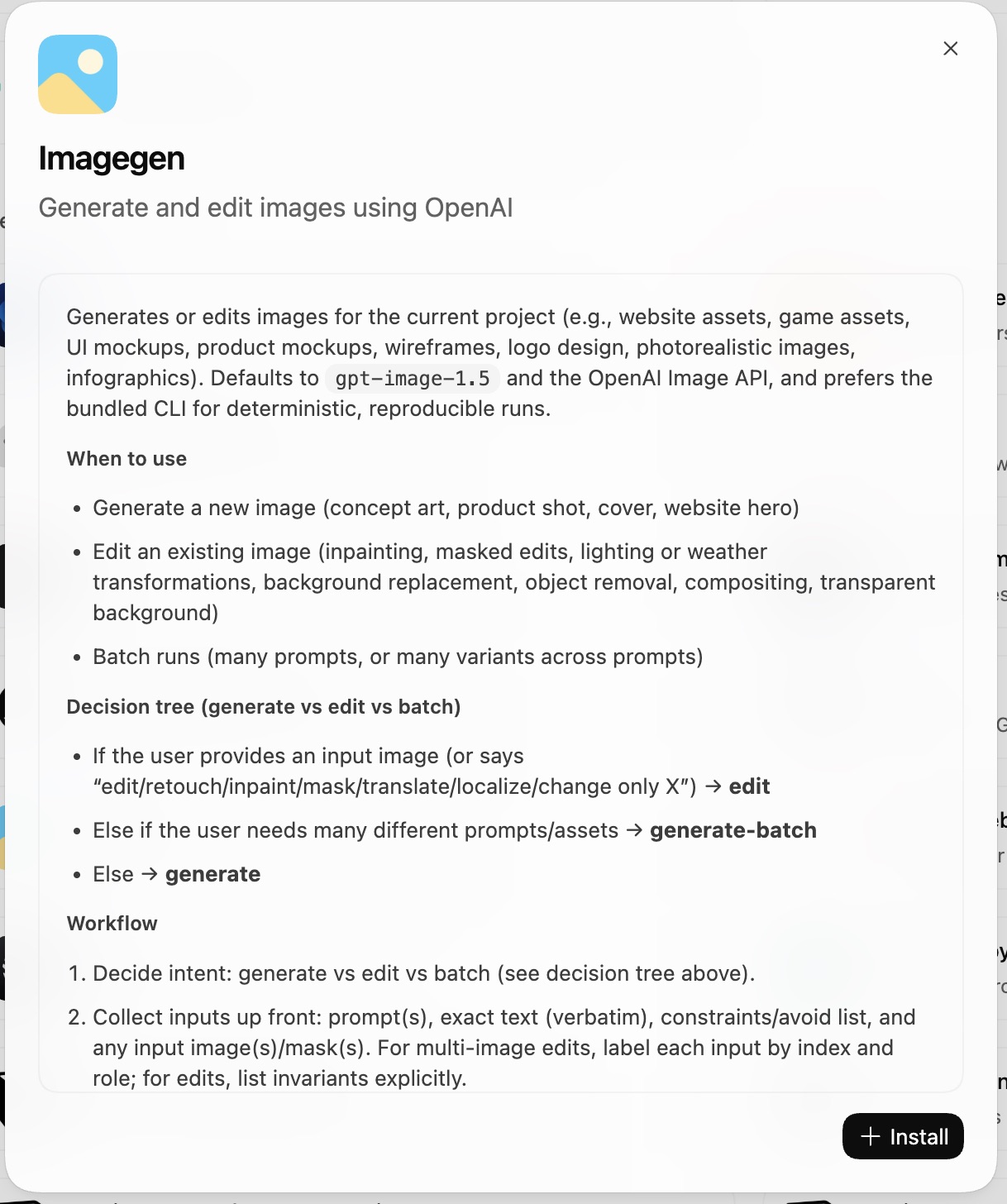
Skill Install UI / Confirmation
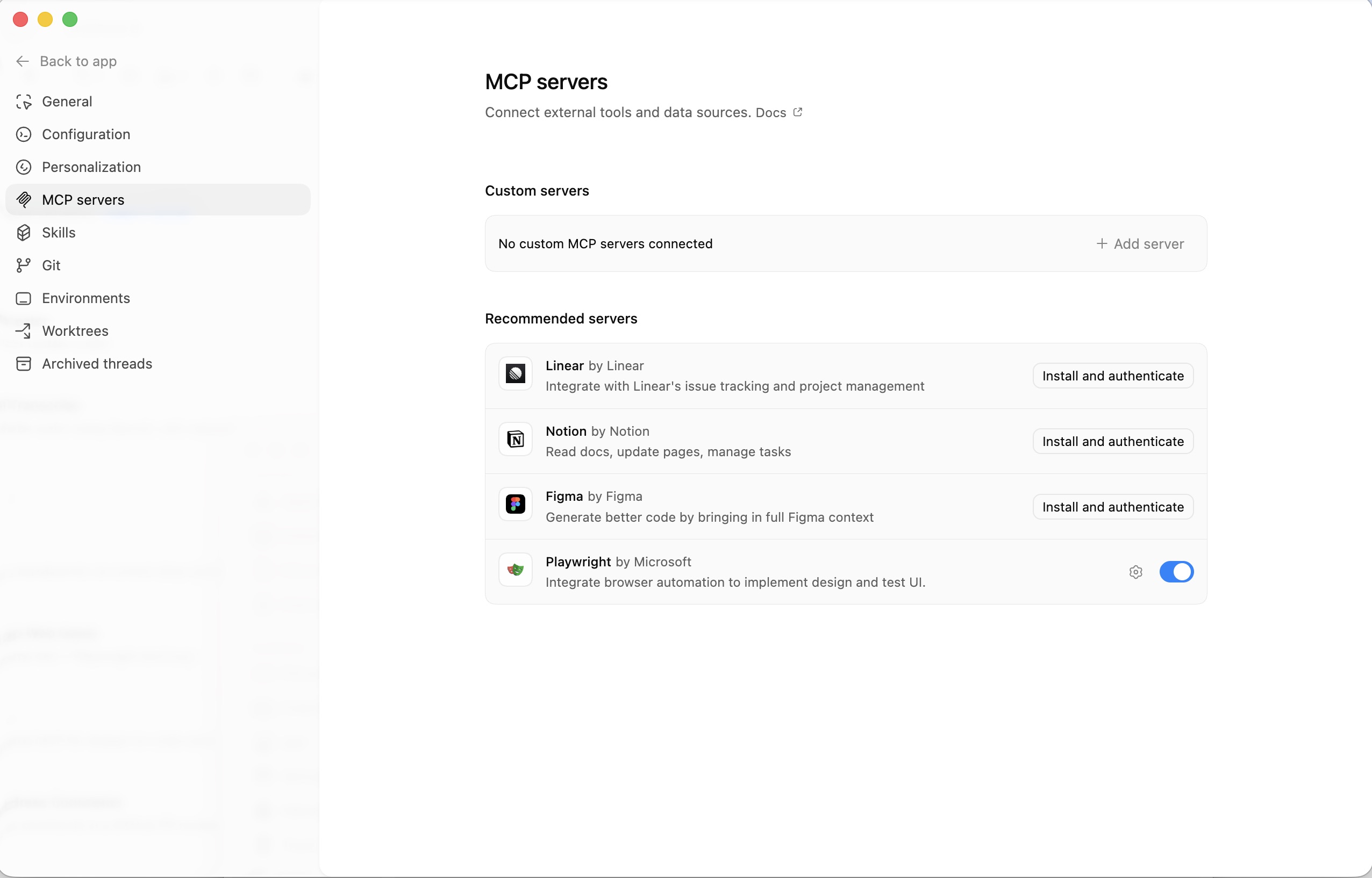
MCP Settings
Environment Setup And Secrets
Note for posterity: I was able to get the transcription skill to work. The way I ended up handling environment-specific variables was by creating a .env file. I need to look into how Codex treats these files and the security ramifications from this, but I suspect there will eventually be a way to create the env file from a secrets generator that creates a worktree-specific key for whatever you’re going to be working with, and then at the end of the worktree, remove the key. Secrets and keys have always been a bit tricky with coding agents.
Automations
Automations is another tab provided in the Codex app that I haven’t really been using on my personal projects. Some potential automations I could see being useful are documentation updates running on a regular basis (weekly), code architecture reviews and cleanup, and other background work where the agent can do some sort of review and validation and then suggest updates. Then I can review and decide what would be worth pulling into the project.
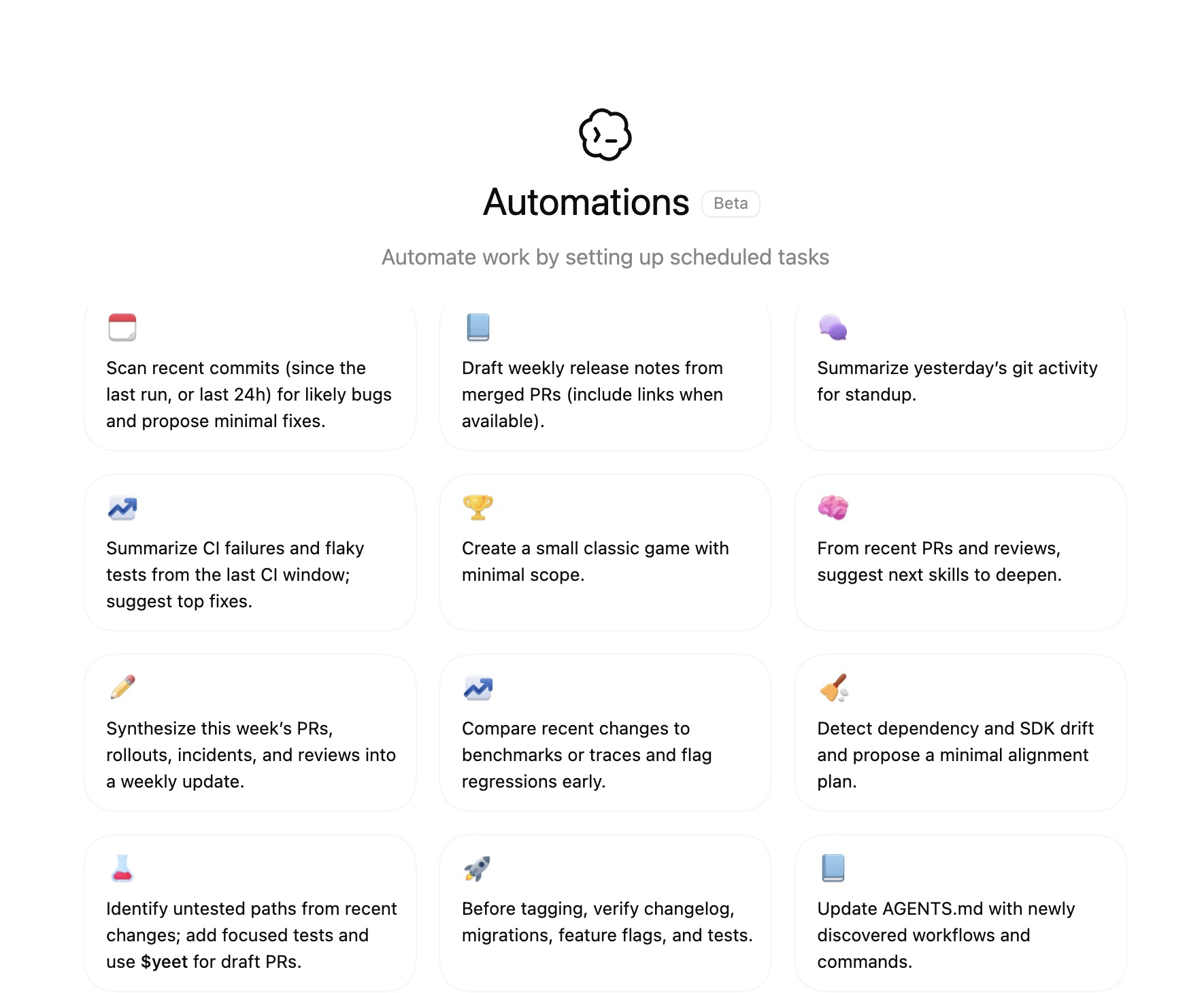
Automations Tab
Next Steps
I’m going to keep testing the Codex app to see what changes are good, what changes are bad, and whether I end up migrating fully or continuing with my current workflow. I’m also going to spend more time with worktrees and the environment setup flow, since that seems like the place where the app could either shine or get in the way. The biggest concern I have now is that I seem to have fewer ways to inject things into the environment when I’m running tests or using new skills. This is likely the part that will take the most effort to adjust to coming from a terminal where I can simply set environment variables or run brew install when I hit a snag.